


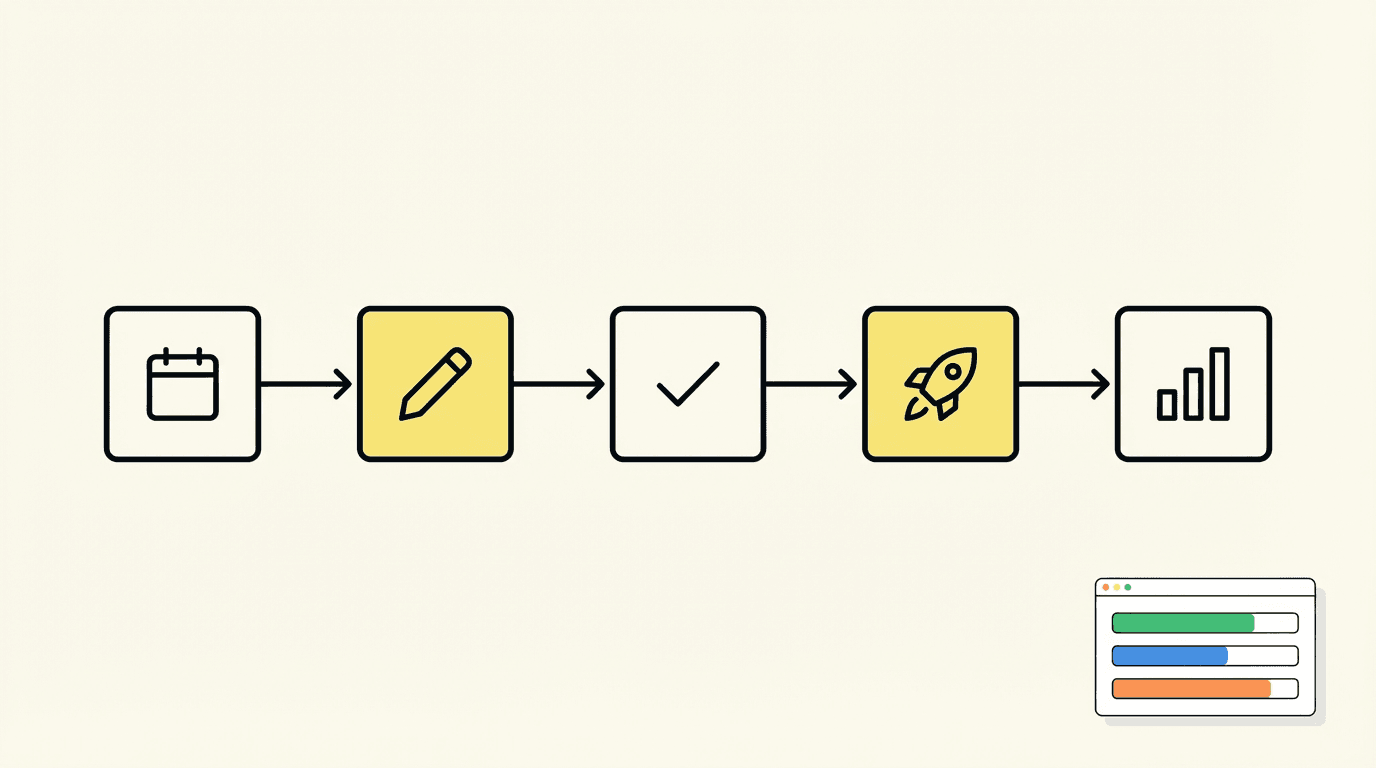
Most marketing teams don't have a strategy problem. They have an execution problem.
The brief gets written. The campaign concept is solid. Everyone's aligned on the goal. But then it stalls - in someone's inbox, waiting on an approval that never comes, or blocked because the designer didn't get the copy in time. Three weeks later, you're launching a campaign that should have shipped in five days.
Research from McKinsey found that early adopters integrating AI agents across growth workflows reported campaign creation and execution speed up to 15x faster than before. The bottleneck isn't talent or budget - it's the invisible friction between steps.
That friction has a name: missing workflow infrastructure. And fixing it is one of the highest-leverage things a marketing team can do.
This guide covers what marketing workflows actually are, why most teams under-invest in building them, the core workflows every team needs, and how to build a system that ships campaigns reliably - not just occasionally.
What Is a Marketing Workflow?
A marketing workflow is a defined sequence of steps, ownership assignments, and decision points that move a marketing initiative from start to finish. It answers three questions at every stage:
- Who is responsible for this step?
- What do they need to complete it?
- What triggers the next step?
Without answers to those questions, teams default to ad hoc coordination - Slack pings, status meetings, and memory. That works when you're small and running one campaign. It breaks down fast when you're running four campaigns across three channels with a team of eight people.
A workflow is not a checklist and it's not a project management board with tasks thrown in. It's a repeatable system with clear triggers, defined handoffs, and measurable outcomes. The difference matters because checklists require someone to drive them. Workflows run on their own once they're set up.
The Four Components Every Workflow Needs
Every effective marketing workflow, regardless of campaign type or channel, is built on four components:
Triggers - the event that initiates the workflow. A form submission, a calendar date, a status change in your project tool, or a threshold being hit in your analytics.
Actions - the specific work completed at each stage. Writing copy, designing an asset, uploading to a scheduling tool, submitting for approval.
Conditions - decision points that route the workflow based on real inputs. If approved, move to scheduling. If rejected, return to creator with feedback. If the email open rate is below 15%, trigger a re-engagement sequence.
Outcomes - the measurable result the workflow is designed to produce. A published post, a live campaign, a qualified lead routed to sales, a completed report.
When these four components are defined for every stage of a workflow, execution becomes predictable. When they're missing, execution depends on whoever happens to be paying attention that day.
Why Most Marketing Teams Don't Build Workflows
The pattern is common: a team grows, the volume of campaigns increases, and coordination gets harder. But instead of building systems, teams hire more people to manage the chaos. Coordination costs keep rising. Campaigns still slip.
The reason teams avoid investing in workflow design usually comes down to three things:
It feels like overhead. Building workflows takes time upfront, and it's not as satisfying as shipping a campaign. Teams under time pressure keep pushing systematic work to "once things calm down" - which never comes.
They mistake tools for workflows. Adding a project management board doesn't create a workflow. Neither does getting everyone on the same Slack channel. Tools support workflows, but they're not the workflow itself. The workflow is the logic: what happens when, who owns it, what triggers the next step.
They conflate automation with workflows. Automation is a subset of workflow execution, not the whole thing. You can automate email sequences while still having a broken content approval process. Workflows define the full system - automation accelerates specific steps within it.
The cost of not having workflows is hard to see because it shows up as slowness, not failure. Campaigns take longer than they should. Launches slip by a few days, then a few weeks. Good ideas die in the backlog. The team feels perpetually behind without understanding why.
The Core Marketing Workflows Every Team Needs
These five workflows cover the majority of what marketing teams execute repeatedly. Build these first.
1. Content Production Workflow
Content teams that lack a defined production workflow often face two failure modes: bottleneck at review (everything waits on one person to approve) or publication without review (quality degrades and errors slip through).
A solid content production workflow includes:
Stage 1: Brief. Topic, target keyword, target reader, key message, internal links to include, desired word count, deadline. The brief is not optional. Without it, writers make assumptions that cost revision cycles.
Stage 2: Draft. Writer delivers to a defined spec. The handoff is explicit - not "whenever you get a chance" but a trigger (task status change, notification, deadline) that tells the reviewer their turn has started.
Stage 3: Review. Single reviewer with a defined SLA. 24-48 hours is standard. Escalation path defined if SLA is missed. Feedback delivered in the doc, not in a separate channel where it can get lost.
Stage 4: Revisions. Writer addresses feedback. One revision round, not an open-ended cycle. If major structural issues remain after revision, the brief needs to be revisited, not the draft.
Stage 5: SEO and technical. Metadata, internal links, alt text, headers formatted correctly. This should be a checklist owned by one person, not distributed across the team.
Stage 6: Scheduling. Content goes into the CMS or scheduling tool with a confirmed publish date. Not a draft that sits there - a scheduled publish.
The biggest failure point in most content workflows is the review stage. Teams either have no defined reviewer, or the reviewer has no SLA, or feedback comes back through five different channels. Fix the review stage and content production speed roughly doubles.
2. Paid Campaign Launch Workflow
Launching a paid campaign without a defined workflow is how you end up with a live ad pointing to a broken landing page, or a campaign running against the wrong audience because someone updated the audience segment two days ago and didn't tell anyone.
A paid campaign launch workflow has five stages:
Stage 1: Brief and audience. Target segment, budget, objective, KPIs, landing page URL, campaign dates. All confirmed before any build starts.
Stage 2: Creative production. Copy and assets produced to spec (dimensions, character limits, platform requirements). Creative brief sent to designer with exact specs included.
Stage 3: Build and QA. Campaign built in the platform. QA checklist completed: tracking pixels firing, UTM parameters correct, landing page loading and converting, audience targeting correct, budget set correctly, campaign paused pending final approval.
Stage 4: Approval. Final sign-off from campaign owner. Not approval of the concept - approval of the live build. This is a different step because campaigns get changed during the build process.
Stage 5: Launch and monitoring. Campaign activated. First-day performance check at a defined time. Flag threshold set (e.g., if CTR drops below X or CPA exceeds Y in first 48 hours, pause and escalate).
The QA step is what most teams skip when they're in a rush. Build the QA checklist once, make it non-negotiable, and you'll eliminate a category of painful post-launch fixes.
3. Email Campaign Workflow
Email campaigns have a specific additional complexity: they're hard to undo once sent. A mistake in a blog post can be corrected in minutes. A mistake in an email to 50,000 people is a much bigger problem.
The email campaign workflow needs an explicit testing gate:
Stage 1: Strategy and copy. Objective, target segment, subject line, preheader, body copy, CTA, and send time. Subject line testing options flagged if applicable.
Stage 2: Design and build. Email built in the ESP with all merge tags, links, and dynamic content in place.
Stage 3: QA. Test send to a seed list. Check: rendering across devices and clients, all links working, merge tags populating correctly, unsubscribe link present, plain text version exists.
Stage 4: Approval. Sign-off on content and send list. Confirm send is scheduled for the right time with the right segment.
Stage 5: Send and monitor. Send confirmed. Monitor for delivery rate, bounces, and early engagement signals. Flag if unsubscribe rate spikes.
One underinvested part of email workflows: documentation of what was sent to whom and when. Teams that send email frequently without a send log create major problems when they need to audit engagement, troubleshoot deliverability, or avoid over-contacting a segment.
4. Social Media Publishing Workflow
Social media feels low-stakes because posts can be edited or deleted. But inconsistency in posting, off-brand content, or an unapproved message going live under a brand account can have real consequences.
A social publishing workflow doesn't need to be complex, but it does need to answer: who creates, who approves, who schedules, and what's the response protocol if a post gets unexpected engagement.
Stage 1: Content calendar. Posts planned at least one week ahead. Each post has a topic, platform, format, draft copy, and visual asset specified. The calendar is the single source of truth - not individual team members' queues.
Stage 2: Creation. Copy and creative produced to platform specs. If using templates, confirm the template is current and on-brand.
Stage 3: Approval. One designated approver per brand account. SLA of 24 hours maximum. Approval happens in the tool, not in a Slack thread.
Stage 4: Scheduling. Approved content goes into the scheduling tool with confirmed date, time, and account. Scheduled, not posted manually - manual posting creates gaps when the person responsible is unavailable.
Stage 5: Monitoring. Comments and mentions monitored for 48 hours post-publish. Response protocol defined in advance for common scenarios (positive engagement, negative comments, questions about product).
5. Campaign Reporting Workflow
Most teams have no reporting workflow. Reports get generated when someone asks for them, with inconsistent metrics, in whatever format seemed logical at the time. This makes performance data hard to act on because it's hard to compare.
A reporting workflow standardizes what gets measured, how often, and what decisions it should inform:
Stage 1: Data collection. Pull from defined sources on a defined schedule. No manual data collection from multiple tabs - either pull from your analytics tools directly or use a connected agent like Toffu to automate report generation from your live data.
Stage 2: Analysis. Compare against prior period and against targets. Flag significant deviations (positive and negative). Don't describe what happened - explain what it means and what to do about it.
Stage 3: Distribution. Report delivered to defined recipients in a defined format on a defined schedule. Not on request - on schedule.
Stage 4: Action log. Decisions made based on the report are logged. This creates accountability and helps teams learn which optimizations actually moved metrics.
How to Build Workflows That Get Used
Defining workflows is the easy part. The hard part is getting a team to actually follow them. Most workflow implementations fail not because the workflow was badly designed but because the team reverts to old habits under pressure.
Three things make workflows stick:
Make the default path the easy path. If following the workflow requires more steps than going around it, people will go around it. The workflow needs to live where work already happens - in your project management tool, your CMS, your ad platform. Not in a separate document nobody opens.
Define what done looks like at each stage. Vague handoffs ("let me know when this is ready") create delays. Specific handoffs ("move card to 'Ready for Review' and tag the reviewer") create movement. Each stage of a workflow needs a clear completion state.
Build escalation paths. What happens when an approval doesn't come in 48 hours? What happens when the brief is incomplete? Workflows without escalation paths stall because nobody knows who's responsible for unblocking them. Define it upfront.
Where Automation Fits In
Automation is not a replacement for workflow design - it's an accelerant. Build the workflow logic first, then automate the steps that are repetitive, rule-based, and high-volume.
Good automation candidates within marketing workflows:
- Status change notifications ("brief is ready for your review")
- Scheduled report generation and delivery
- Social post scheduling
- Lead scoring updates based on engagement behavior
- Campaign performance alerts when thresholds are crossed
- Recurring competitor monitoring and brand mention tracking
Toffu's scheduled tasks feature is built specifically for the monitoring and reporting layers of marketing workflows - automating recurring tasks like weekly competitive digests, daily ad performance alerts, and monthly campaign reports so they run without manual intervention.
The key distinction: automation handles execution of defined steps. Humans handle strategy, creative judgment, and escalation decisions. Confusing the two leads to either under-automating (manual work that should be automated) or over-automating (removing human judgment from places it's needed).
Measuring Whether Your Workflows Are Working
A workflow that exists but doesn't improve execution is just documentation. Track these metrics to know whether your workflows are actually working:
Cycle time - how long it takes to move from workflow initiation to completion. If your content production workflow takes 14 days on average and you want it at 7, that's a specific target to work against.
Stage-level bottlenecks - where do items sit longest? If 80% of your cycle time is in the review stage, the fix is in the review stage, not anywhere else.
Error rate - how often do you launch with mistakes that require post-launch fixes? A low error rate means your QA steps are working. A high error rate means they're being skipped.
On-time delivery - what percentage of campaigns launch on their planned date? Track this across campaign types to identify which workflows need the most improvement.
Review these metrics quarterly for stable workflows, monthly for high-volume or high-stakes processes. The goal is not a perfect workflow - it's a workflow that gets measurably better over time.
The Connection Between Workflows and Marketing ROI
There's a direct line between workflow quality and ROI that most teams don't draw.
When campaigns slip by two weeks, they miss their market window. When QA is skipped, campaigns launch with broken tracking, making attribution impossible. When reports are inconsistent, teams can't make data-driven decisions. When creative production is uncoordinated, the same asset gets redesigned three times.
These aren't soft operational problems - they're direct hits to campaign performance and budget efficiency. A team that ships campaigns 30% faster, with fewer errors, and with consistent reporting has a structural advantage over a team that doesn't, regardless of budget size.
Building marketing workflows is an investment in compounding returns. Every workflow you build correctly makes every subsequent campaign that runs through it faster, cleaner, and more measurable.
If you want to see how other high-performing marketing teams are structuring their workflows and what they're automating, the Toffu Academy breaks down common workflow structures and how to set them up with an AI marketing agent.
Starting Point: Pick One Workflow and Fix It Completely
Don't try to systemize everything at once. Pick the one workflow that causes the most pain - usually content production or paid campaign launch - and build it properly.
Document how it works today. Map the failure points. Define each stage with explicit triggers, owners, and completion criteria. Get the team to use it for four weeks. Measure cycle time before and after.
Then move to the next one.
Teams that build workflows iteratively end up with a system that actually works, because each workflow was designed by people who understand the real-world constraints. Teams that try to design everything at once usually produce documentation that nobody follows.
The goal is not a perfect system. The goal is a system that runs - one that gets campaigns out the door consistently, with less friction, and with data you can actually use to improve.
Check out Toffu's pricing options if you're looking to add an AI layer to your marketing workflows - automating the recurring, data-driven parts so your team can stay focused on the work that requires judgment.
Frequently Asked Questions
What is a marketing workflow? A marketing workflow is a defined sequence of steps, owners, and decision points that moves a marketing initiative from initiation to completion. It specifies who does what, when, and what triggers each step - replacing ad hoc coordination with a repeatable system.
How many workflows does a marketing team need? Most teams need five core workflows: content production, paid campaign launch, email campaign, social media publishing, and campaign reporting. Start with whichever causes the most delays or errors and build from there.
What's the difference between a marketing workflow and marketing automation? A workflow is the strategic design - the full sequence of steps, owners, and decision points. Automation is technology that executes specific steps within that workflow without manual intervention. You need the workflow design before automation can add value.
How do I know if my marketing workflows are working? Track cycle time (how long campaigns take from start to publish), stage-level bottlenecks (where work sits longest), error rate (post-launch fixes required), and on-time delivery rate. Review quarterly and set targets for improvement.
Can small marketing teams benefit from workflows? More so than large teams, in many cases. Small teams have less redundancy, so when one person is a bottleneck, everything stops. Workflows distribute ownership and reduce the dependency on any single person to keep campaigns moving.