


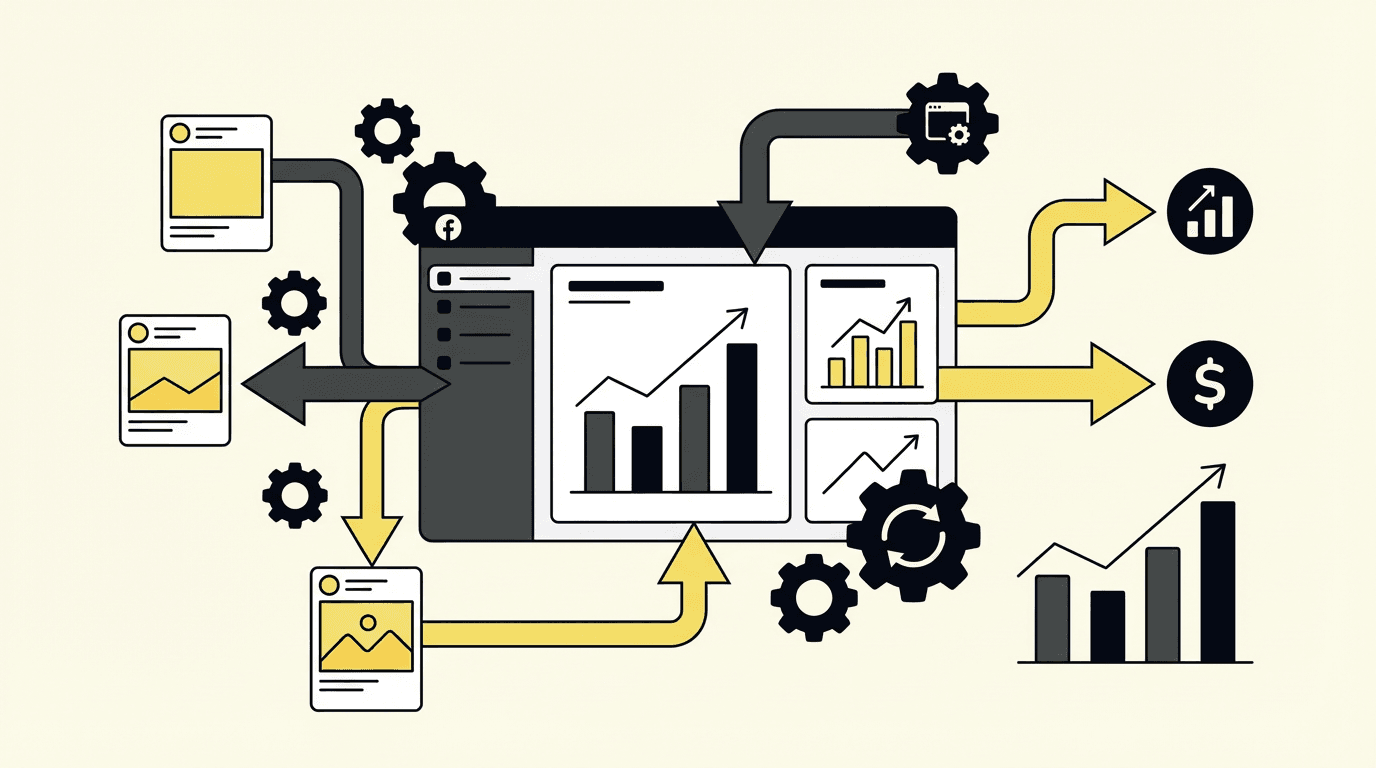
If you are still checking your Meta Ads Manager three times a day, pausing ad sets by hand, adjusting bids based on gut feel, and building performance reports from scratch every week -- you are not running campaigns. You are babysitting them.
The average marketer managing Facebook ad campaigns manually spends 15 to 20 hours a week on tasks that follow the exact same logic every single time. Spend crosses a threshold, pause the ad. ROAS looks strong, increase the budget. Creative performance drops, swap it out. These are rules, not decisions. And rules can be automated.
This guide covers how to actually stop managing Facebook campaigns manually: what to automate, how to set the thresholds, and where AI-powered tools like Toffu replace the operational overhead entirely.
Why Manual Facebook Ad Management Breaks at Scale
Manual management does not just cost time. It costs performance.
When you check campaigns once a day, a poorly performing ad set can burn through budget for eight hours before you see it. When you scale budgets by hand, you miss the two-hour window in the morning when CPAs are lowest. When you pause creatives manually, you react to fatigue weeks after the algorithm already started penalizing it.
Meta's own platform rewards speed. Advantage+ campaigns -- now the default for most ad types -- use Meta's Andromeda AI to optimize targeting based on creative signals in near real-time. The faster you feed the algorithm good inputs and remove bad ones, the better it performs.
Manual management is incompatible with that speed.
There is also the scale problem. Managing five campaigns manually is feasible. Managing twenty is not. As accounts grow, manual oversight creates a bottleneck that slows every other part of the marketing operation.
The solution is not to hire more people to click buttons faster. It is to automate the buttons.
Before You Automate: Define Your Funnel Metrics
Every automation rule needs a threshold. Before touching a rule builder, know your numbers.
For B2C / e-commerce:
- Maximum cost per purchase (your CPA cap)
- Minimum acceptable ROAS (3x is a common baseline: revenue should be at least 3x what you spent)
- Maximum cost per add-to-cart or checkout initiated
For B2B / lead generation:
- Maximum cost per lead (for demo requests, free trial signups)
- Maximum cost per MQL
- Acceptable range for cost per form submission at each funnel stage
For mobile apps:
- Maximum cost per install
- Cost per in-app event (tutorial completion, checkout initiation, purchase)
- App purchase ROAS
If you do not have historical data yet, use a 3x ROAS minimum as your starting benchmark and tighten it once you have 30+ conversions per campaign. These numbers are not guesses -- they are the inputs your automation rules run on. Get them wrong and the rules will execute correctly while optimizing toward the wrong outcome.
The Core Automation Playbook
1. Pause Underperforming Ad Sets
This is the most important rule to set up first. It protects budget from being wasted on creatives and audiences that are not converting.
Classic stop-loss rule:
- Condition: Spend > 1.5x your max CPA AND Purchases = 0
- Action: Pause ad set
If your max CPA is $50, this rule pauses any ad set that has spent $75 without generating a single purchase. The 1.5x multiplier gives Meta enough budget to exit the learning phase while still protecting you from runaway waste.
Declining performance rule:
- Condition: Spend > $200 AND Purchases > 0 AND Cost per purchase > $50
- Action: Pause ad set
This catches ad sets that initially converted well but have since degraded. It requires that some spend has already occurred (excluding brand new ad sets still in learning) and that performance has definitively crossed your CPA cap.
Sudden drop detection:
- Condition: CPA last 3 days > 2x CPA last 7 days
- Action: Send alert
Rather than automatically pausing, this rule flags sudden performance drops for review. A 3-day vs 7-day comparison catches recent deterioration while ignoring long-term average noise. Use it as an alert rather than an automatic pause -- sudden drops sometimes reflect one bad day, not a dead ad set.
2. Scale Top Performers
Most automation guides focus on pausing bad ads. Scaling good ones is equally important and even more neglected.
Basic daily scale rule:
- Condition: Purchases > 2 AND CPA < $30 (today)
- Action: Set daily budget to $500
This scales ad sets that are actively performing on the current day -- not ones that did well last week. Setting a fixed budget target rather than a percentage increase keeps scaling controlled.
Tiered scaling based on performance level:
Good performance (CPA $20-$30):
- Condition: Purchases > 5 AND CPA < $30 AND CPA >= $20 (today)
- Action: Increase budget by 20% once per day
Strong performance (CPA < $20):
- Condition: Purchases > 5 AND CPA < $20 (today)
- Action: Increase budget by 100% once per day
Two separate rules let you scale proportionally to how well the ad set is actually performing. The one performing at CPA $19 deserves more budget than the one performing at $28.
ROAS-based scaling:
- Condition: ROAS > 3 AND Spend (today) > 50% of daily budget
- Action: Increase budget by 50%
The 50% spend condition ensures the ad set has enough data for the ROAS signal to be meaningful before the rule fires.
One practical note: set all scaling rules to run before noon. Budget increases that happen at 7 PM have limited impact on that day's performance and can cause pacing issues overnight.
3. Relaunch Ad Sets with Late Conversions
Not every customer converts immediately. An ad set paused at 11 PM with zero purchases might show two conversions by the following morning, as delayed CAPI signals arrive and attribution windows close.
Relaunch on fresh conversions:
- Condition: Purchases > 0 AND CPA < $50 (last 12 hours)
- Apply to: Paused ad sets only
- Action: Start ad set
This restores ad sets that were prematurely paused based on conversion delay. It runs continuously and catches late-converting ad sets that your pause rules may have stopped too early.
Relaunch on strong 7-day performance:
- Condition: Impressions < 100 (yesterday) AND CPA < $50 (last 7 days) AND Purchases > 1 (last 7 days)
- Schedule: Run at midnight only
- Action: Start ad set
This rule catches ad sets that had a bad day but maintain strong recent history. The midnight schedule prevents it from interfering with the current day's performance.
When running pause and unpause rules together, verify they do not conflict. If your pause rule fires at 10 AM and your unpause rule fires at midnight using the same conditions, you will run the ad set for two hours and then kill it again.
4. Bid Management Rules
Meta's default delivery handles bids reasonably well in most accounts. Bid management rules become important when you need tighter CPA control or when ad sets have low delivery due to insufficient bids.
Raise bids for under-delivering ad sets:
- Condition: Impressions < 100 (last 2 hours)
- Action: Increase bid by $0.50 every 2 hours
If an ad set is not entering the auction, it is usually because the bid is too low relative to competition. Incremental bid increases every two hours avoid overshooting while still improving delivery.
Prioritize high-performing ads:
- Condition: Cost per lead < [target CPL] AND Leads >= 2 (today) AND Cost per lead < Cost per lead (at ad set level)
- Action: Increase bid by $0.25 once per day
This increases the bid for specific ads performing above the ad set average -- pushing them to win more auctions before creative fatigue sets in.
5. Duplication for Horizontal Scaling
Raising budgets on a winning ad set works up to a point. Beyond a certain spend level, the algorithm's audience pool saturates and CPAs increase. Horizontal scaling -- duplicating the winning structure into new ad sets -- extends the reach while maintaining performance.
Duplicate winning ad sets:
- Condition: Spend > $100 AND Purchases > 0 AND CPA < $50
- Trigger: Once per lifetime
- Action: Duplicate ad set
The "once per lifetime" setting prevents the rule from generating dozens of duplicates if the ad set stays above the threshold. It creates one copy and stops.
After duplication, make sure ads in the new ad set are active. Add a companion rule: Start any ad where hours since creation is less than 1. This handles the case where duplicated ad sets launch with paused ads.
Creative Automation: The Part Most Teams Skip
Under Meta's Andromeda algorithm, your creative is your targeting signal. The algorithm uses visual and copy patterns in your ads to identify which audiences to show them to. Stale creative does not just reduce click-through rates -- it actively raises your CPMs because the algorithm interprets creative fatigue as a signal quality problem.
This means creative refresh is not optional. It is a performance lever.
Refresh cadence by account spend:
- Under $5,000/month: Monthly creative refresh
- $5,000-$20,000/month: Bi-weekly refresh
- Over $20,000/month: Weekly refresh
What to include in your creative library:
Static images remain the highest-converting format on Meta for direct response. Short-form video under 15 seconds outperforms longer formats for cold audiences. Carousels work well for product comparison and feature demonstrations. Text-only static images are a growing format in 2025 -- they feel native to the feed and stand out against heavy visual content.
The key principle is format variety. When every ad in your account uses the same visual approach, Meta's Creative Similarity metric rises and CPMs increase. Vary the format, not just the copy.
Using Meta's Dynamic Creative:
Enable Dynamic Creative (for lead gen) or Flexible Creative (for sales campaigns) at the ad set level. Upload 5-10 high-performing images or videos, add 2-3 primary text variations, add 2-3 headline variations, and let Meta's algorithm test combinations.
Review AI-suggested copy before launch. Meta will propose headline and description variations based on your inputs. These are worth reviewing -- occasionally the algorithm generates combinations that are technically grammatically correct but contextually off-brand.
Native Automation vs. Third-Party Tools
Meta's native automatic adjustments changed significantly in 2024. Previously, advertisers could set condition-based rules directly in Ads Manager. The current system uses automatic adjustments -- Meta applies its own recommendations based on its internal signals, and you choose which categories you allow it to change.
This means native automation no longer supports custom CPA thresholds or ROAS-based budget scaling. You choose whether Meta can auto-adjust budgets, bids, or targeting -- but you do not define the conditions.
When native automation is sufficient:
- Simple account structure with few campaigns
- Stable budgets that do not need precision CPA control
- You trust Meta's delivery recommendations and only need structural cleanup
When to use third-party automation:
- You need rules triggered by specific CPA, ROAS, or spend thresholds
- You manage multiple ad accounts
- You want Slack or email alerts when rules fire
- You need OR logic between conditions (Meta's native system only supports AND)
- You need check intervals shorter than Meta's update windows
For any serious performance marketing account, third-party automation is necessary. Meta's native system optimizes for Meta's version of performance. Third-party rules enforce your version.
How AI-Powered Automation Changes the Equation
Rule-based automation handles the if/then logic. What it cannot handle is the oversight layer: catching when rules conflict, identifying when a rule is firing correctly but optimizing for the wrong outcome, recognizing creative fatigue before it tanks a campaign, or connecting Meta performance to what is actually happening downstream in CRM.
This is where AI-powered marketing agents like Toffu fill the gap that both native and traditional third-party tools leave open.
Toffu connects directly to your Meta Ads account and runs automated monitoring and reporting without requiring you to build a rule for every scenario. You can ask it directly: "What were my top-performing ad sets by CPA last week?" or "Which creatives are showing fatigue signals?" and get structured answers without pulling a report manually.
More importantly, Toffu handles the scheduled oversight layer that most teams neglect. Rather than checking campaign performance when you remember to, you set up automated tasks that run on a schedule and surface the information you need when you need it.
For example, a weekly performance digest that runs every Monday morning: pulls all active Meta campaigns, shows spend, impressions, clicks, CPR, and conversions, flags any campaign with CPA above your threshold, and compares to the prior week. Delivered to Slack. Zero manual work.
Or a daily budget pacing check: if any campaign is on track to exceed monthly budget by more than 10%, it alerts you with the campaign name and projected overspend -- before the month ends.
This is what separates teams that are genuinely not managing campaigns manually from teams that have just automated the easy parts. The difference is whether you have also automated the monitoring and oversight. See how this works on the Toffu pricing page -- there is a free tier to start.
The Complete Automation Stack
What to Set Up This Week
If you are starting from zero, set up these four automations in order:
1. Stop-loss rule. Spend > 1.5x max CPA with 0 conversions = pause. This is the highest-priority rule. Set it first.
2. Scale rule. CPA below target with 3+ purchases today = increase budget by 20%. Restrict this to running before noon.
3. Alert rule. CPA last 3 days > 2x CPA last 7 days = notify you. Use Slack or email notification. Do not auto-pause on this one.
4. Creative refresh calendar. If you have not refreshed creatives in the last 30 days, do it this week. Creative fatigue is often the underlying cause of rules firing constantly.
After those four are running, layer in the relaunch, bid management, and duplication rules as your account grows.
The teams consistently hitting their CPA targets on Meta are not smarter than the teams that are not. They have built systems that pause waste, scale winners, and refresh creative on a schedule -- and they have automated the monitoring so they know when something breaks.
That is the entire playbook. The work is in the setup. Once it is running, the campaign manages itself.
Frequently Asked Questions
What is the difference between Meta's automatic adjustments and rule-based automation?
Meta's automatic adjustments let Meta's AI apply its own recommendations to your campaigns. You choose which categories it can touch -- budget, targeting, creative -- but you do not set conditions. Rule-based automation (via third-party tools or the older native rules system) lets you define exact conditions: if CPA exceeds $X, pause. If ROAS exceeds Y, scale. The two serve different purposes. Meta's adjustments optimize for Meta's delivery. Your rules enforce your performance thresholds.
How many conversions does an ad set need before automation rules are reliable?
As a baseline, wait until an ad set has spent 1.5x your max CPA before a pause rule fires. For scaling rules, require at least 3-5 conversions in the trigger window to avoid scaling on statistical noise. For ROAS-based rules, 5+ conversions is a safer threshold.
Can automation replace manual campaign review entirely?
Not entirely. Rules handle decisions that follow consistent logic. They cannot handle situations where the logic itself is wrong -- a CPA target set too aggressively, a creative strategy that is working technically but not converting downstream, or an account structure that needs to be rebuilt. Automated oversight (weekly digests, anomaly alerts) reduces how often you need to review manually, but it does not eliminate the need for strategic review.
What should I do if my automation rules are firing too frequently?
Frequent rule triggers usually mean your thresholds are too tight (stop-loss CPA cap set too close to your average CPA), your data windows are too short (rules checking 1-hour performance instead of daily), or you have rule conflicts (pause and unpause rules with overlapping conditions). Start with wider thresholds and tighten them once you have enough data to see the actual distribution of performance.
Ready to stop checking Ads Manager manually? Start with Toffu for free and connect your Meta Ads account in minutes. You can also explore the full range of automation workflows on the Toffu pricing page.