

AI deck tools all produce the same slides. Here's what happens when you treat slide design like a conversation instead.
I had a Hebrew PDF deck. I had a Google Israel Performance Marketing event in 48 hours. And I had zero interest in watching Gamma or Genspark turn it into the same blue-gradient-with-bullet-points template that 10,000 other people will use this week.
So I used Toffu to build something that actually looked designed. This is how it went — the prompts, the iterations, and what made the difference.
What's Wrong With Gamma, Genspark, and NotebookLM
These tools are useful for one thing: going from nothing to something in five minutes.
But "something" is always the same. Rounded card layouts. Muted corporate palettes. Stock-icon bullet lists. The slides look AI-generated because they were — not because AI can't produce better, but because these tools are optimizing for speed over craft.
The deeper problem: you can't really direct them. You pick a theme, you paste text, and you hope. If you don't like a slide, your options are "regenerate" or "edit in the template editor." There's no creative dialogue.
What I wanted was different: a deck that felt like it was made for a Google event. Clean, editorial, premium — something a good designer would respect. And I wanted to get there through conversation, not template-picking.
The Starting Point: A Hebrew PDF
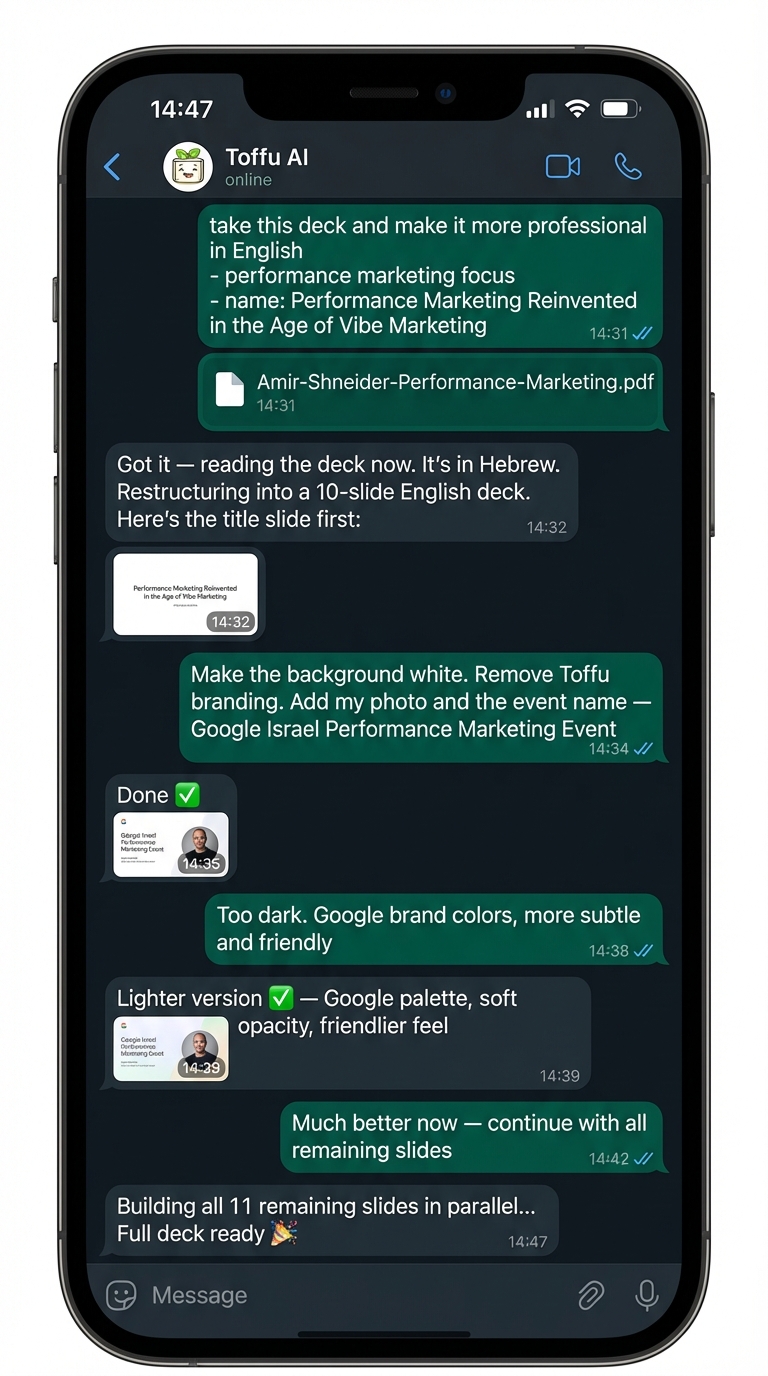
The entire session happened on WhatsApp. That's the point — no laptop, no platform login, no Figma file open. Just a conversation.
The original deck was in Hebrew. Before I could redesign it, I needed to understand what was in it.
I gave Toffu the PDF URL and asked it to read it. It parsed the Hebrew content and gave me back the structure: an agenda slide, a positioning slide, some AI tool comparisons. Good bones, wrong language, wrong design.
From there I described what I wanted:
"Take this deck and make it more professional and polished in English. Focus it on Performance Marketing. Show use cases using Google Tools. The name should be: 'Performance Marketing Reinvented in the Age of Vibe Marketing.'"
I added the content brief: Toffu AI for GA4, Google Ads, and Search Console; Google Gemini for ad copy; Google VEO 3 for social video; Google Antigravity for SEO audits. Theme: one marketer with AI does what a team used to.
Toffu mapped the structure — 10 slides — and generated a title slide to show the visual direction before committing to the full deck.
Iteration 1: First Title Slide
The first output had a cream background, dark charcoal type, a geometric accent bar on the left edge. It looked like a consulting firm deck — respectable but heavy.
Close, but not right. The feedback:
"Make the background white. Remove Toffu branding. Add presenter name and title: Amir Shneider, CMO at SkyWatch, VOOM & Toffu.ai. Add the presenter's photo and the event name: Google Israel Performance Marketing Event."
The second version incorporated the profile photo, cleaned up the branding, and structured the presenter block properly.
Then came a smart call from the presenter: move the bio off the title slide entirely. Don't crowd slide one. Give the bio its own slide, with the role cards laid out properly.
The Bio Slide
This is where having a real creative conversation matters.
The bio content came in as a screenshot — a LinkedIn-style profile snapshot showing three roles. I described what I wanted: the photo prominent on the left, three clean role cards on the right (CMO at SkyWatch & VOOM, Founding CMO at Toffu AI, Founder of an Israeli Marketing Community with 15K members), stat badges at the bottom.
Then a detail correction: SkyWatch & VOOM since August 2021, not January 2026. And remove all em-dashes from the copy.
One message. Fixed.
This is where Gamma loses. You can't have this conversation with it. You'd be in the text editor, manually hunting for em-dashes, trying to remember which template setting controls card layout.
Iteration 2: The Title Slide Had to Get Lighter
The title slide still felt too dark. Too corporate. The feedback:
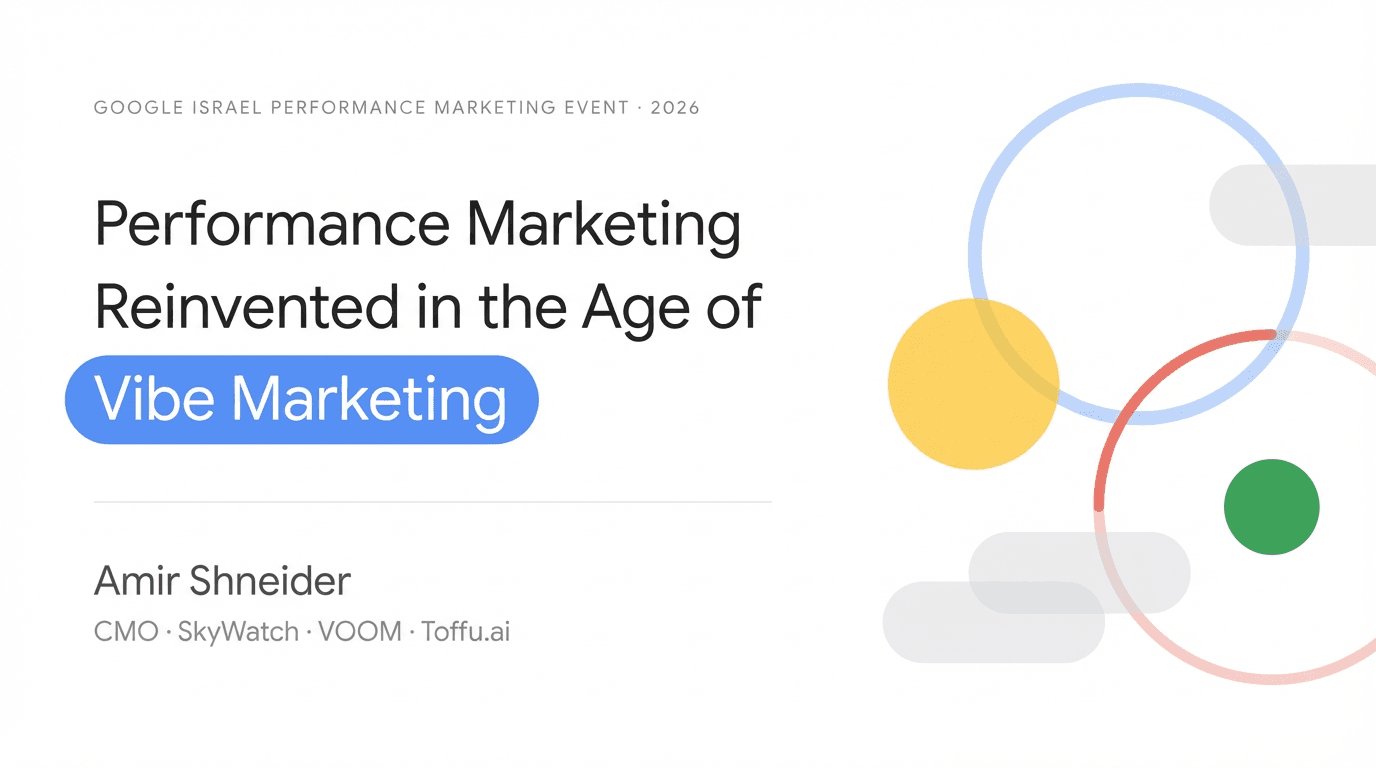
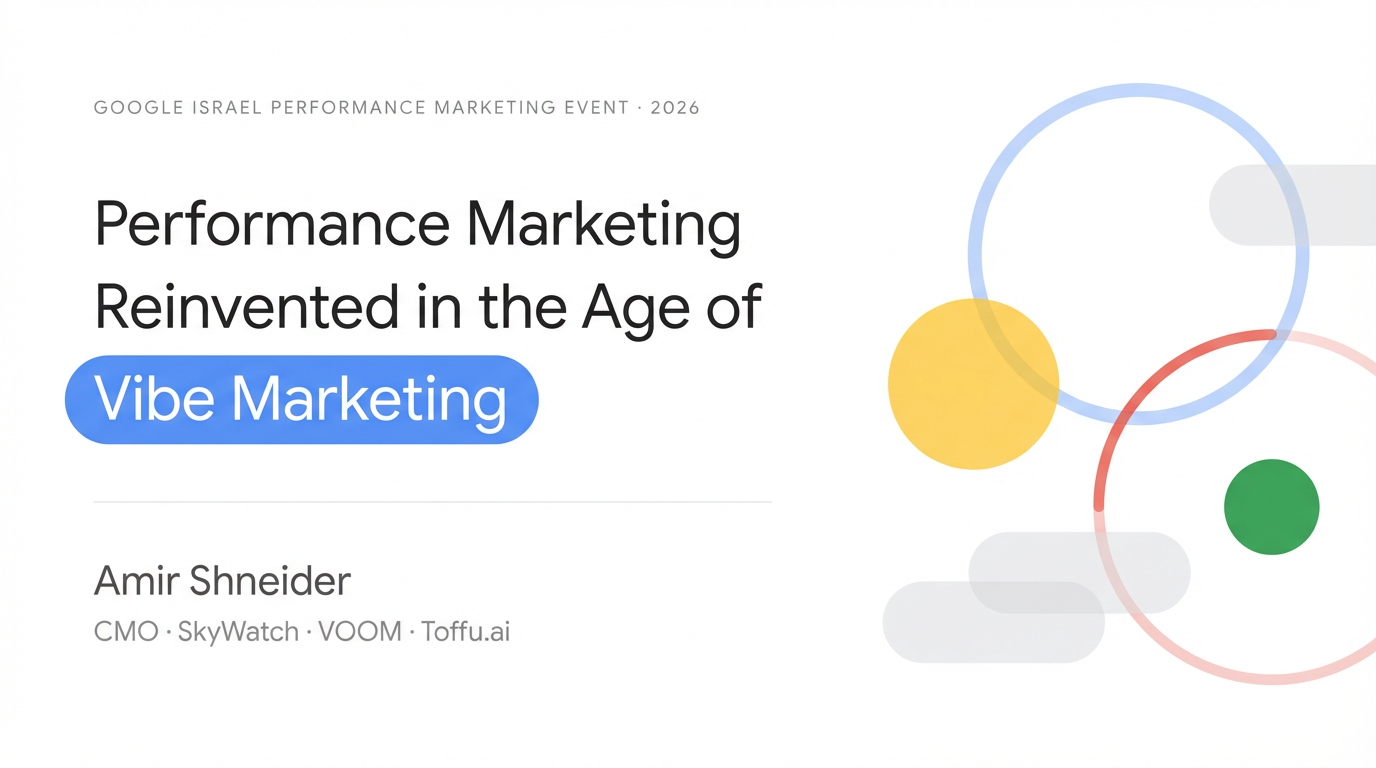
"Too dark. Give the abstract geometric shapes more subtlety with opacity and Google brand colors — including the headline. It should be more subtle, elegant, and friendly."
This is a real design note. Not "I don't like it" — a specific direction: Google brand colors, low opacity, less weight.
The response was to replace the dark accent shapes with floating abstract forms in Google Blue, Yellow, Green, and Red at 15–25% opacity. Soft circles and arcs. The headline moved from near-black (#0A0A0A) to a warmer dark gray (#2D2D2D). The "Vibe Marketing" badge shifted from a heavy dark slate to a friendlier Google Blue pill.
The presenter looked at it and said: much better. Light, airy, looks like it belongs at a Google event rather than a Series A pitch.
That refinement — version 1 to version 4 — took four messages and about ten minutes. In a traditional design workflow, that's an hour of back-and-forth with a designer, a Figma file, and two rounds of feedback.
The Full Deck Structure
Once the title slide was locked, the remaining slides were built in parallel. The visual system was consistent throughout:
- Pure white background
- Soft left accent bar in Google Blue at low opacity
- Dark gray (#2D2D2D) headlines, never pure black
- Google brand color accents (Blue, Red, Yellow, Green) used sparingly
- Section labels in small gray uppercase, top left
- Subtle low-opacity geometric shapes in slide corners
The slides covered:
- Title — Event, presenter, "Vibe Marketing" badge
- Bio — Three role cards + stat badges
- The Shift — Before/Now/Gap cards explaining Vibe Marketing
- The Stack — Five tools, one performance marketer
- Toffu AI: Conversation — WhatsApp chat mockup with GA4, Google Ads, GSC queries
- Toffu AI: Actions — Four action cards (budget, keywords, copy, reporting)
- Toffu AI: Dashboard — KPI grid + campaign + query tables
- Toffu AI: GA4 — Chat mockup with natural language GA4 queries
- Toffu AI: Search Console — GSC gap analysis via conversation
- Google Gemini — Before/after copy comparison with CTR lift
- Google Antigravity — SEO audit output mockup
- Google VEO 3 — Social video creation workflow
- Closing — CTA and contact
Each slide was generated with a detailed prompt specifying layout, copy, mockup content, card structure, colors, and typography weights. Not a template. An actual specification.
What Makes This Different From Template-Based Tools
Gamma gives you a layout and fills it with your text. The design decisions are made for you. You can adjust colors and fonts, but you're inside a system built for consistency, not craft.
Genspark goes further with multi-page generation but still produces the same visual grammar — floating cards, gradient backgrounds, icon grids.
NotebookLM is primarily a research and audio tool; the slide output is functional at best.
What happened in this Toffu session was something different: every pixel was generated from a prompt. There's no template underneath. The circular photo crop, the floating geometric shapes, the card layouts, the before/after copy comparison — all of it was specified through conversation and rendered fresh.
That means:
- You can ask for a specific layout you've seen nowhere else
- You can correct a detail (wrong date, wrong copy) in one message
- You can change the entire visual direction mid-session without starting over
- The output looks designed, not assembled
The tradeoff is that it takes more thought. You have to describe what you want. You can't just paste your outline and click "generate." But if you care about the output looking genuinely good — not just presentable — that extra effort is worth it.
The Prompts That Worked Best
A few patterns that produced the best results:
Be specific about negative space. "Plenty of white space — shapes do NOT crowd the slide" was one of the most effective instructions. Template tools fill every corner. Specifying restraint in the prompt produces cleaner slides.
Name exact hex values. "Google Blue #4285F4 at 25% opacity" is unambiguous. "Light blue accent" is not. The more specific the color specification, the more consistent the visual system across slides.
Describe the mockup content, not just the mockup. For the chat interface slides, the actual messages in the bubbles matter. "User: Pause all keywords with CPA above $80 / AI: 6 keywords paused across 3 campaigns" is a real use case that communicates the product better than a generic chat mockup.
Correct one thing at a time. The iterations that landed cleanest were single-focus feedback: "the background is too dark" rather than "the background is too dark and the headline font is wrong and the spacing is off." One thing at a time keeps the changes legible.
The Deck at the End
A 13-slide deck, consistent visual system, white background, Google brand color palette, editorial typography, real mockup content. Ready for a Google Israel event.
Built from a Hebrew PDF, through conversation, in a few hours.
If you have a presentation coming up and you're tired of every AI-generated deck looking like every other AI-generated deck — this is the approach worth trying.
Want to build your own deck with Toffu? Start with the title slide. Get the visual language right before generating anything else. The rest follows.