

Most teams approach AI agents with one of two broken instincts.
The first: try to automate everything on day one. Map out the workflow, design the prompt, schedule it, walk away. A week later it's producing garbage and you can't tell why, because you never actually did the work yourself to know what good looks like.
The second: keep doing the work manually forever. You know you should automate it. You'll get to it next quarter.
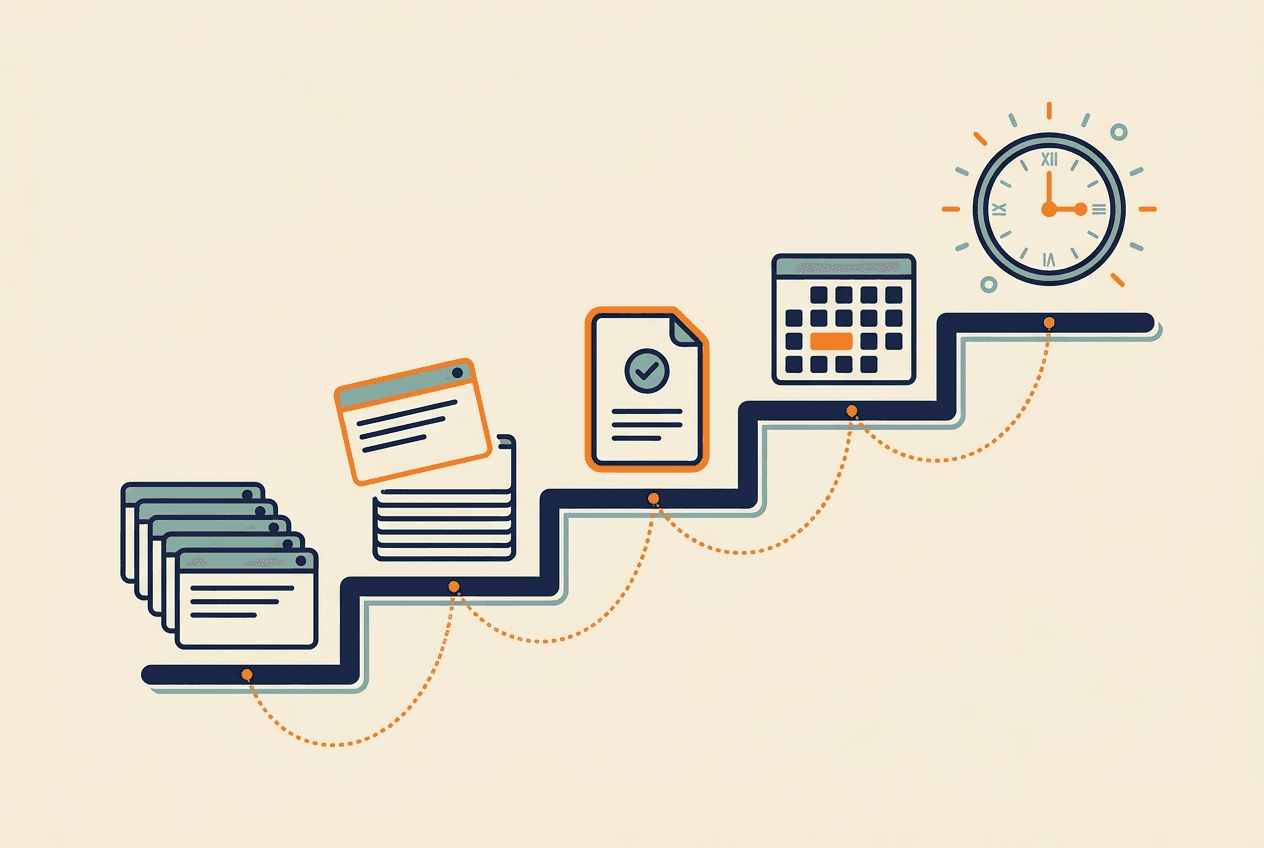
Both lose. The path that works is in between, and it has five stages. We've watched our own team and our customers walk it dozens of times. It always looks the same.
To make this concrete, the same example runs through each stage below: a weekly scan of what your top three competitors are running in their ads.
Stage 1: Notice You're Doing the Same Thing Again
The signal isn't "this is taking too long." The signal is "I've done this before."
For us, it usually shows up in one of three ways:
- You catch yourself opening the same five tabs in the same order
- You write a message that starts "can you do the thing again where you..."
- You realize Monday morning has a shape, and the shape is mostly checking dashboards
The trap here is dismissing tasks as too small to automate. Anything under 15 minutes feels easier to just do. But if it happens every week, that's 13 hours a year. And the cost isn't really the time - it's the context switch. A dashboard check derails an hour of focused work even if the check itself takes five minutes.
When you notice the pattern, write it down. That's all stage one is. You're collecting candidates, not solving anything yet.
For the competitor ad example, the note that kicked it off looked like this:
Monday again. Spent 40 minutes flipping through Meta and Google ad libraries for the same three competitors. Third Monday in a row. Stop.
Stage 2: Do It Once With Toffu
Don't try to design the automation. Just do the work the next time it comes up, but do it through Toffu instead of by hand.
If the task is "check what our top three competitors shipped this week," open Toffu and ask exactly that. Don't write a perfect prompt. Don't pre-define the output format. Treat it like a conversation with a smart intern who needs you to point at things.
This stage matters because it surfaces the actual shape of the work. You'll discover:
- Half the things you thought were essential aren't
- Some things you didn't think to ask for turn out to be the most useful
- The format you assumed you wanted is wrong, and a different one is obviously better
You can't predict any of this in advance. The first manual run is the spec.
The first message to Toffu for the competitor scan was rough on purpose:
Check what new ads [Competitor A], [Competitor B], and [Competitor C] have been running in the last week. Look at Meta Ads Library and Google Ads Transparency Center. Just tell me what's new and what stands out.
The result was 80% of what we wanted. The 20% gap was the spec for stage three.
Stage 3: Ask Toffu to Turn It Into a Skill
After you've done the work once or twice and it landed well, ask Toffu directly.
For the competitor scan, the request was:
Turn this into a skill called "Weekly Competitor Ad Scan." Always check Meta Ads Library and Google Ads Transparency Center for [A], [B], [C]. "New" means launched in the last 7 days. Only flag ads that show a new offer or a new formatskip pure creative refreshes of an existing ad. Output as a Slack-ready summary, max 5 bullets per competitor, with a one-line takeaway at the top.
Toffu writes the skill. You read it. You correct the parts that are wrong. You add the things it missed, usually the implicit knowledge you didn't realize you had.
The output of stage three is a skill that captures your taste, not just the task. The difference matters. A task says "summarize competitor ads." A skill says "summarize competitor ads, but only flag ones that show a new offer or a new format. We don't care about creative refreshes."
If you skip this stage and go straight to scheduling, you're scheduling the wrong thing. You're scheduling the first draft of the work, before you knew what you wanted.
Stage 4: Run the Skill Manually for a Few Weeks
This is the stage everyone wants to skip. They have a working skill. Why not schedule it?
Because you don't actually know yet whether it works the way you want. You think you do. You don't.
Run it manually, same time, same trigger, same context, for two to four weeks. You'll catch things you couldn't have predicted:
- The output is good, but it's the wrong shape for how you actually use it
- The skill triggers on the wrong noise (every CI failure, not just the real ones)
- You realize you wanted the result in Slack, not in your inbox
- Week one is great, then weeks two and three reveal it doesn't handle edge cases like new product launches, holidays, or weird data
Each manual run is an opportunity to tighten the skill. Edit it in place. Don't be precious. By week three or four, you'll have a skill that does the work the way you actually want it done.
The competitor scan picked up three corrections across as many weeks. Each one started by running the skill, noticing what was off, and sending a one-line update back to Toffu:
Week 1: Update the skill to also check LinkedIn ads. I forgot to include it.
Week 2: Update the skill to skip ads tagged as test variants. They're A/B noise and they're padding the output.
Week 3: Update the skill: when a competitor has no new ads, say "no new activity" explicitly. Last week the blank section made me think the skill was broken.
By week four the output landed clean. Nothing to fix, nothing to clarify.
The test for stage four being done: you run the skill and the output requires zero corrections. You forward it, post it, or act on it as-is.
Stage 5: Schedule It and Get Out of the Loop
Now you can schedule it.
Set the cadence, the trigger, and the delivery channel. Pick where you want results: Slack, email, a Google Doc, a spreadsheet. Make sure the schedule includes "always report, even if nothing happened." Silence from a scheduled task is ambiguous. It could mean nothing changed, or it could mean the task broke.
For the competitor scan, the schedule request was a single message:
Schedule the "Weekly Competitor Ad Scan" skill every Monday at 9am Pacific. Post the output to #marketing in Slack. Always send the digest, even if all three competitors have no new activity.
Once it's scheduled, your job changes. You're no longer running the task. You're reviewing the output.
A good scheduled task delivers something you can act on in under 60 seconds. If the output still requires you to re-do the work to verify it, the skill isn't ready and you've scheduled too early. Go back to stage four.
Why the Order Matters
You can't skip stages and get the same result.
Skip stage one (discovery) and you'll automate the wrong things, the visible ones instead of the load-bearing ones.
Skip stage two (do it once) and you'll write a prompt for an imagined task instead of the real one.
Skip stage three (capture as a skill) and the work lives only in your head. The next person who does it starts from zero.
Skip stage four (run manually) and you'll schedule a broken process that pollutes your inbox until you eventually turn it off.
Skip stage five (schedule) and you've built a great skill that still requires you to remember to use it. The whole point of an agent is that it runs without you. If you're still pulling the trigger, you haven't actually delegated.
What This Looks Like Over Six Months
After six months of running this loop, our team's work looks different.
The recurring stuff - Monday digests, daily ad checks, weekly competitor scans, monthly board prep - happens without us. The output lands in Slack at the right time. We read it, act on it, and move on.
Our actual work is the things agents can't do yet: decisions, design choices, customer conversations, novel problems. The shape of the week stopped being "check, check, check, then do work." It became "do work, with checks happening in the background."
That's the real outcome. Not "we saved X hours." Saving hours is the side effect. The real outcome is that the work that requires you - judgment, taste, relationships - gets your full attention, because the work that doesn't has already been done.
Try It This Week
Pick one repetitive task. Just one. Don't try to map your whole workflow.
Do it once in Toffu. Ask Toffu to turn it into a skill. Run the skill manually next week. Run it again the week after. The fourth time you run it, schedule it.
In a month you'll have one fewer thing on your plate, and a template for everything else.